
If Midjourney is the “Bentley” among AI image generators (expensive, prestigious, with stunning results), then Leonardo AI is the “Tesla”: technologically sophisticated, accessible to a wide audience, and with a free version that actually works.
19 million registered users, more than 50 generation models, tools for video generation, upscaling, and even training your own AI models — and all of this is available for free in the basic version.
In this review, we will break down: what Leonardo AI is, how it differs from competitors, how to start using it, and which subscription to choose.
What is Leonardo AI
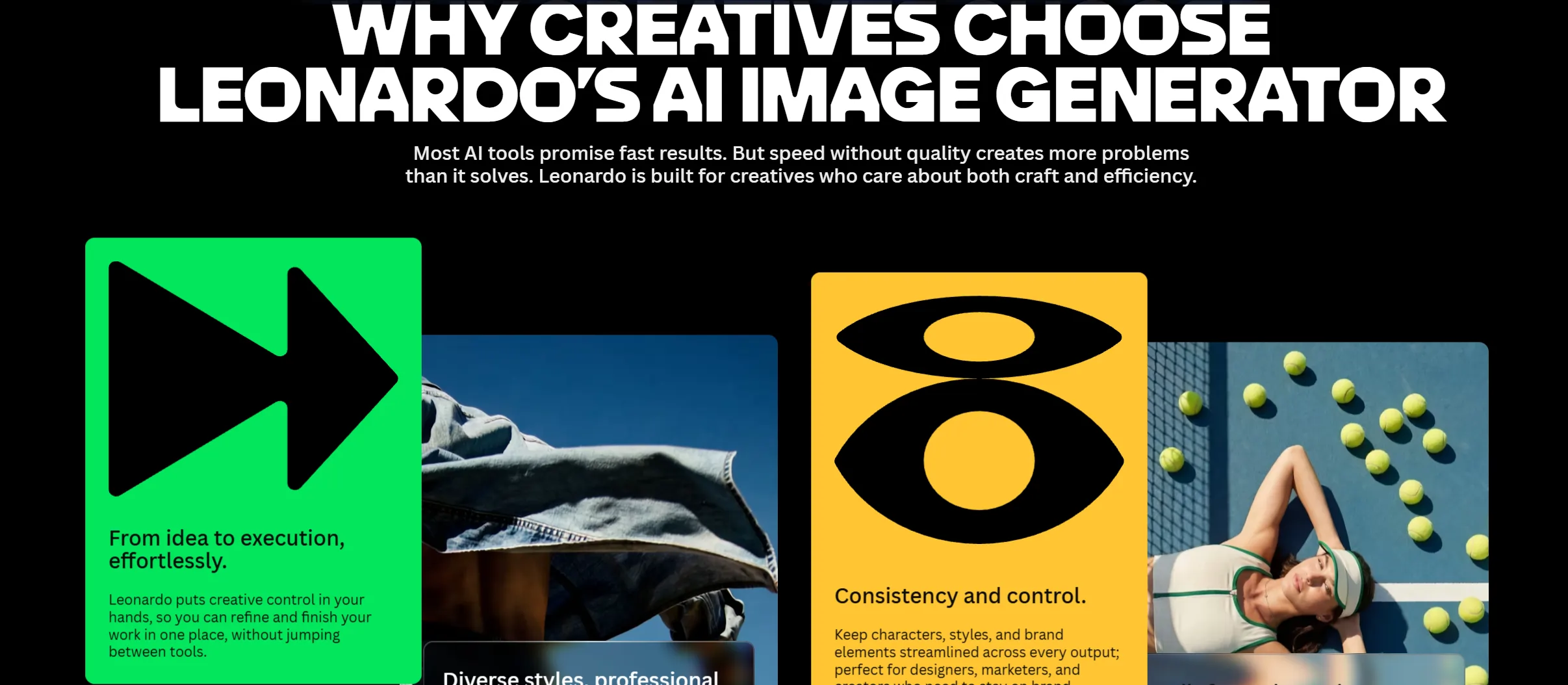
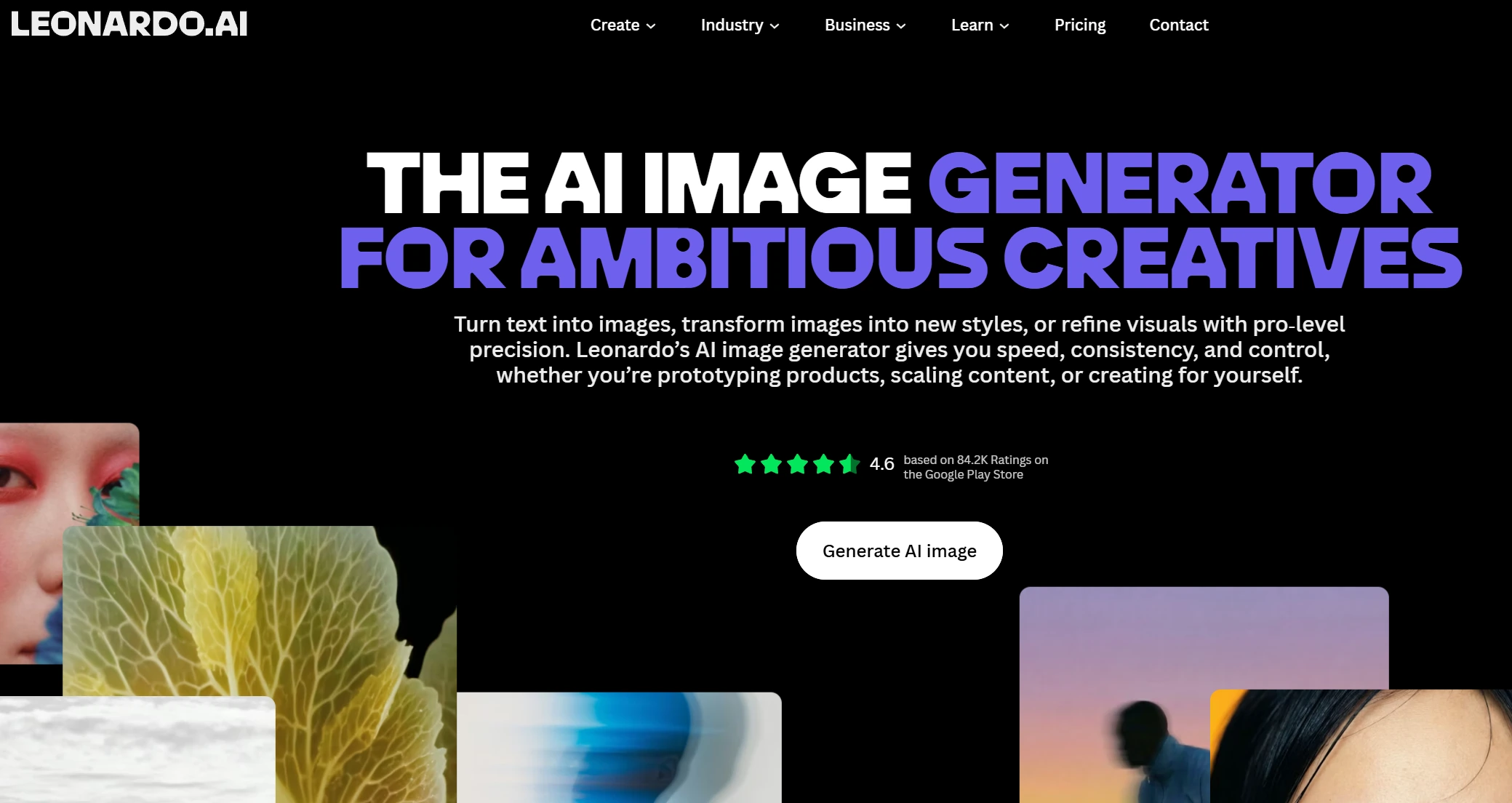
Leonardo AI (leonardo.ai) is an online platform for generating images with artificial intelligence. You describe an image in text — and within a few seconds get a finished visual: an illustration, a photo, concept art, a logo, a texture, or anything else.
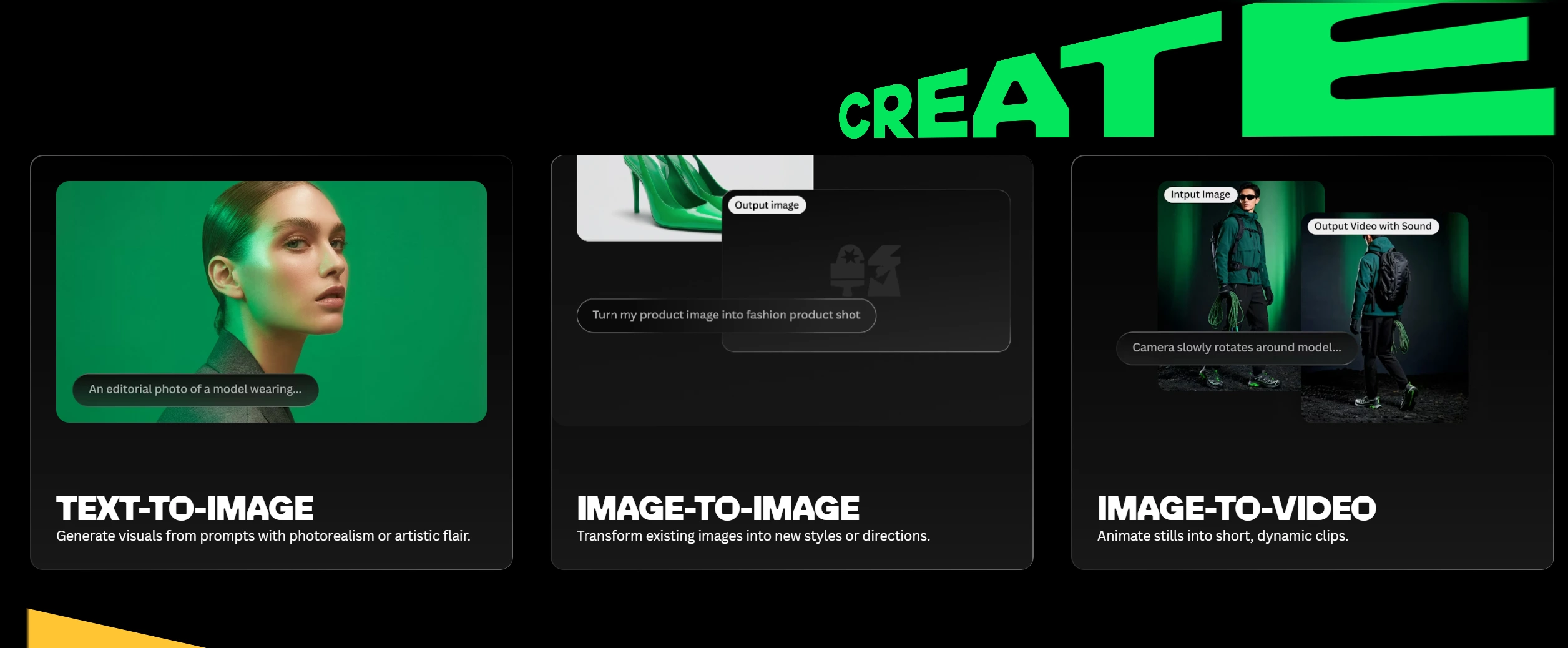
Unlike simple generators, Leonardo is a full creative studio: it includes an image editor, a video generation tool, the ability to train your own AI models for your style, and even 3D texture generation.
The platform’s slogan in 2026 is: “Yours to Create” — yours for creativity. This is not just marketing: Leonardo positions AI as a tool that enhances human creativity rather than replacing it.
What Leonardo AI can do:
- Generate images from text prompts (text-to-image)
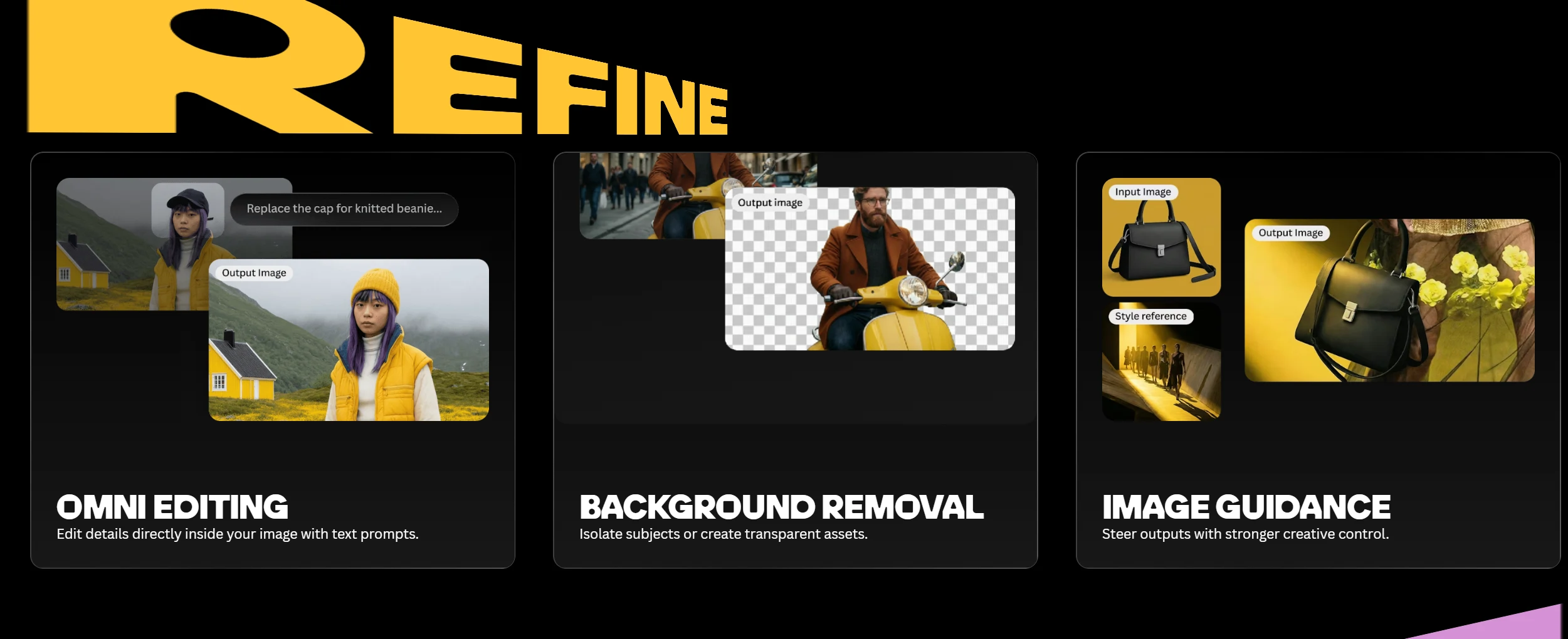
- Edit images: remove backgrounds, add new elements, change parts (inpainting/outpainting)
- Generate short videos from images or text
- Train your own AI models (LoRA) on your examples
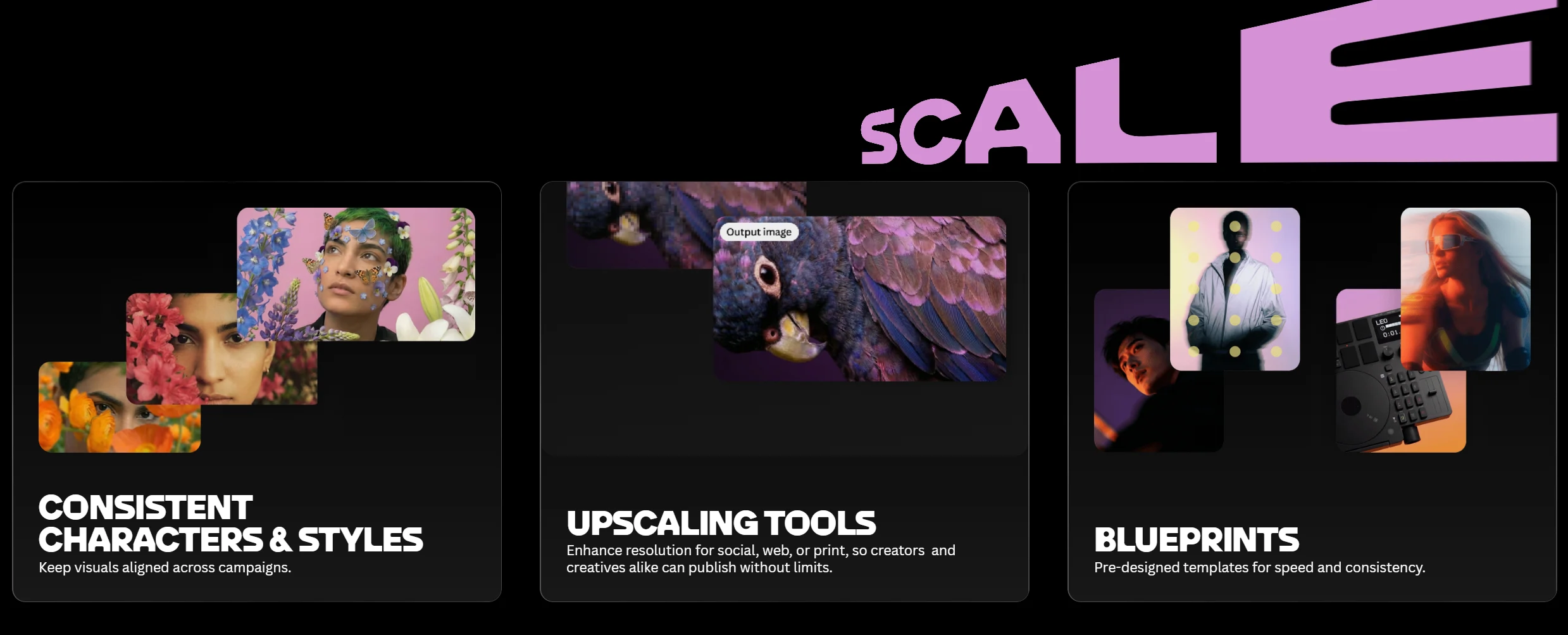
- Maintain a stable character style through the Consistent Character Engine
- Upscale images to a higher resolution
How Leonardo AI differs from competitors
There are dozens of AI image generators on the market. Here is where Leonardo finds its place:
| Parameter | Leonardo AI | Midjourney | DALL-E 3 (ChatGPT) | Stable Diffusion |
|---|---|---|---|---|
| Free version | ✅ 150 tokens/day | ❌ from $10/month | ⚠️ Limited in ChatGPT Free | ✅ Free locally |
| Image quality | ⭐⭐⭐⭐⭐ | ⭐⭐⭐⭐⭐ | ⭐⭐⭐⭐ | ⭐⭐⭐⭐ |
| Ease of use for beginners | ⭐⭐⭐⭐⭐ | ⭐⭐⭐ | ⭐⭐⭐⭐⭐ | ⭐⭐ |
| Image editing | ✅ Full-featured | ❌ | ⚠️ Basic | ✅ (technically complex) |
| Video generation | ✅ | ❌ | ❌ | ❌ |
| Training custom models | ✅ | ❌ | ❌ | ✅ (technically complex) |
| Consistent character | ✅ | ⚠️ Partially | ❌ | ❌ |
| API for developers | ✅ (from Artisan) | ✅ (paid) | ✅ | ✅ |
| Entry plan cost | Free | $10/month | Included in ChatGPT | Free |
Leonardo’s main advantage is the combination of quality, accessibility, and functionality. Midjourney delivers better “artistic” results, but costs from $10/month and has no free version. DALL-E 3 is simpler, but has far fewer control tools. Stable Diffusion is free locally, but requires a powerful PC and technical knowledge.
Leonardo occupies the golden middle: free, powerful, and intuitive.
Leonardo AI models in 2026 — which ones to choose
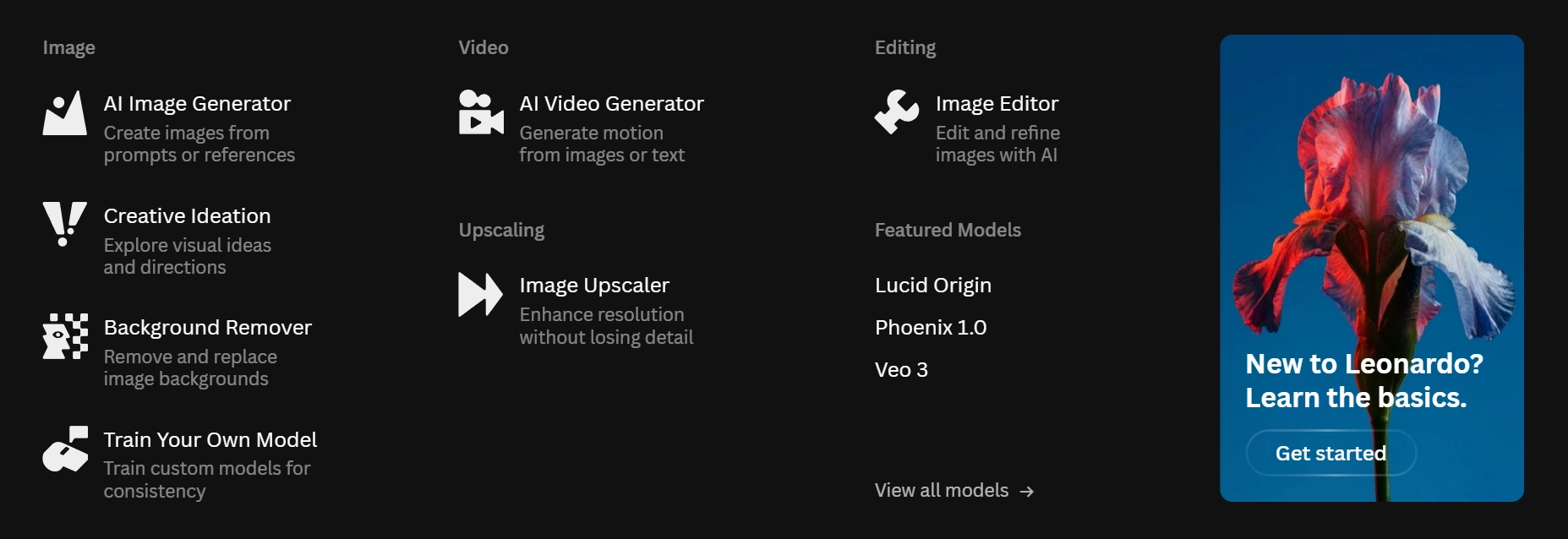
Leonardo is not one model, but an aggregator with 50+ models, each with its own style and purpose. Here are the most important:
Leonardo’s first-party models
Phoenix 2.0 — Leonardo’s flagship model in 2026. The optimal balance of quality, speed, and detail. Suitable for most tasks: realistic photos, concept art, illustrations.
Lucid Realism — a specialized model for hyper-realistic images: skin texture, analog film look, photographic accuracy. Ideal for advertising materials and portraits.
Nano Banana 2 — a fast model based on Google’s Gemini 3 Flash. Optimized for quick iterations and editing. Supports native 4K output.
Nano Banana Pro — a “smart” version with Thinking mode for complex, detailed instructions. It renders text directly inside images extremely well — a rarity among AI models.
Third-party models
Flux.2 Pro — a leader for complex, structured images with even detail distribution. Consistent quality for commercial projects.
Flux.1 Kontext — specialized for editing existing images: it changes selected elements while preserving the overall style.
GPT-Image-1 — a model from OpenAI integrated into Leonardo. Known for its ability to accurately render text and complex scenes.
Important: third-party models (Flux, GPT-Image-1) always consume Fast Tokens even when Relaxed Mode is enabled. Free users mainly get access to first-party models.
How to sign up and start using Leonardo AI
Step 1: Registration
Go to leonardo.ai and click “Sign up”. Registering through a Google account is the fastest option. Or enter your email and password manually.
Step 2: Choose your direction
Leonardo will ask what you plan to use the platform for: design, marketing, games, education, personal projects, and so on. Your answer affects the initial recommendations for models and templates.
Step 3: Get free tokens
After registration, you receive 150 tokens daily — they refresh every 24 hours. That is approximately 75–150 images per day, depending on the size and model. For comparison: Midjourney’s free version does not allow generation at all.
Step 4: Your first generation
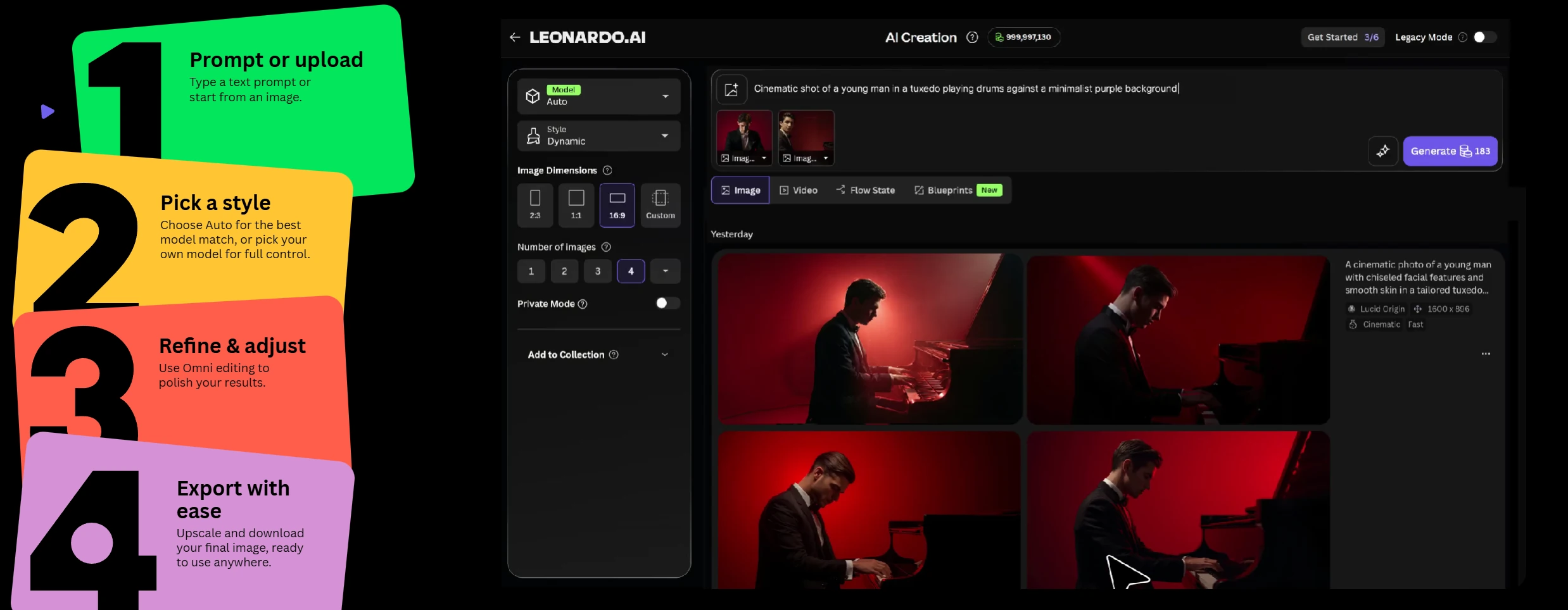
On the main page, click “Image Generation” in the sidebar menu. An interface will open with a prompt field and settings panel:
- Model — choose a model (Phoenix 2.0 to start)
- Dimensions — image size (1024×1024, 1344×768 for widescreen, etc.)
- Number of Images — how many variations to generate (1–8)
- Guidance Scale — how closely to follow the prompt (7 = balance)
Enter the description in English (Leonardo understands English prompts better) and click “Generate”. Within 5–15 seconds, you will get the result.
Step 5: Navigating the results
After generation, each image can be:
- Downloaded in full resolution
- Upscaled — to improve detail
- Edited in Canvas — open it in the editor for further drawing and refinement
- Used as Image Input — take it as the basis for the next generation
- Trained into a Model — use it for training your own model
Leonardo AI features — what is actually worth attention
AI Canvas — an editor like Photoshop
AI Canvas is a built-in image editor where you can:
- Inpainting — highlight part of an image and ask the AI to replace or redraw it
- Outpainting — expand the image beyond the original frame
- Sketch to Image — draw a rough sketch by hand and turn it into a detailed image
This fundamentally distinguishes Leonardo from simple generators: here you control the result, rather than simply sorting through variations.
Consistent Character Engine — one character, thousands of scenes
One of Leonardo’s most unique features. You define a character’s appearance — and it remains identical across all subsequent images, in any pose, lighting, and situation.
This is revolutionary for:
- Comics and graphic novels
- Children’s books with illustrations
- Marketing materials with a brand mascot
- Game development
LoRA Training — teach AI your style
LoRA (Low-Rank Adaptation) is the ability to train your own mini-model on your examples. You upload 10–20 images in your style — Leonardo trains a model and saves it. After that, all your generations automatically follow this style.
Available from the Apprentice plan ($12/month) — 1 training per month. On Artisan — 5, on Maestro — 20.
Video generation
In 2026, Leonardo added serious video capabilities. It supports several models, including Google’s Veo 3 and Kling 2.5 Turbo — leading video generators on the market. You can animate a static image or generate a video from text.
Attention: video models are third-party and always consume Fast Tokens. Free users get access to a very limited amount of video generation.
Realistic modes: Lucid Realism and PhotoReal
For those who need hyper-realistic photos — not an “AI look,” but true photographic quality — Leonardo has dedicated modes. Lucid Realism and PhotoReal are optimized for skin texture, soft lighting, and analog grain.
Leonardo AI pricing in 2026 — detailed breakdown
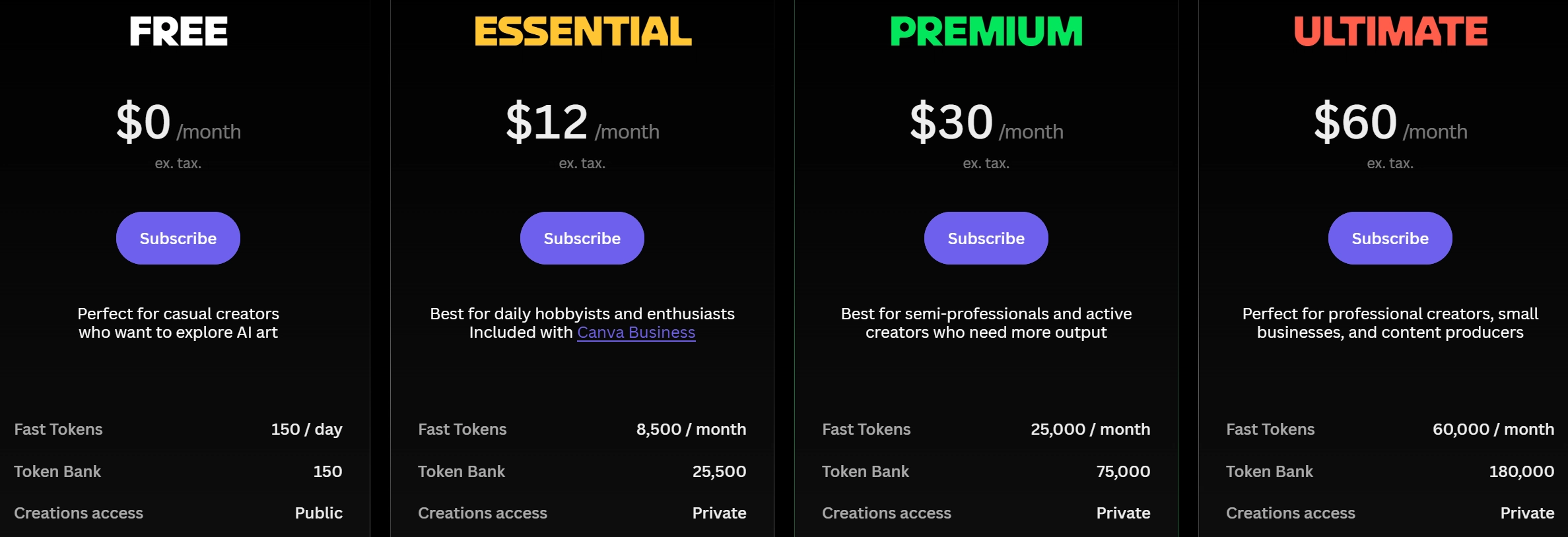
Leonardo works on a token system — the platform’s internal currency. Tokens are spent on generation, editing, video, and upscaling. More complex operations = more tokens.
| Plan | Price | Fast Tokens | Relaxed Mode | Private generations | LoRA training |
|---|---|---|---|---|---|
| Free | Free | 150/day | ❌ | ❌ (public) | ❌ |
| Apprentice | $12/month ($10/year) | 8,500/month | ❌ | ✅ | 1/month |
| Artisan | $30/month ($24/year) | 25,000/month | ✅ | ✅ | 5/month |
| Maestro | $60/month ($48/year) | 60,000/month | ✅ (video too) | ✅ | 20/month |
How many images each plan gives
| Plan | Standard images/month | High-quality images/month |
|---|---|---|
| Free | ~4,500 (150/day × 30) | ~1,500–2,250 |
| Apprentice | ~1,400–2,100 | ~700–1,000 |
| Artisan | ~4,100–6,250 | ~2,000–3,000 |
| Maestro | ~10,000–15,000 | ~5,000–7,500 |
Note: “standard” images = simple settings. “High-quality” = Alchemy Refiner, high resolution, several variations. Quality costs more tokens.
Which version to choose
Free — if you want to try it or use it for a hobby. 150 tokens per day = 75–150 images. The only downside is that all works are public (visible in the Community Feed).
Apprentice ($12/month) — if you need privacy and your own style. The first paid plan removes public visibility, gives LoRA training, and provides a much larger volume. Optimal for freelancers and content creators.
Artisan ($30/month) — for professionals and small studios. Relaxed Mode allows unlimited generation (more slowly) after Fast Tokens are exhausted. API access for integrations. 5 LoRA models per month.
Maestro ($60/month) — for agencies and teams with high volume. 60,000 tokens, highest queue priority, and Relaxed Mode for video as well.
How to write prompts for Leonardo AI — practical tips
The quality of the prompt directly determines the quality of the result. Here is a formula that works:
[Subject] + [Style] + [Lighting] + [Mood] + [Technical details]
Examples of good prompts:
For a realistic portrait: photorealistic portrait of young woman, natural soft lighting, warm golden hour, shallow depth of field, film grain texture, professional photography, no text
For concept art: futuristic cyberpunk city at night, neon reflections on wet streets, dramatic cinematic lighting, hyperdetailed architecture, wide angle, 8k resolution
For marketing materials: minimalist product packaging design, clean white background, soft shadows, premium brand aesthetic, no text, professional studio photography
Useful technical terms for the Negative Prompt (what to remove): blurry, low quality, deformed, text, watermark, cartoon, bad anatomy, extra limbs, noise
Tip: Leonardo understands English prompts better. If you describe a scene in Ukrainian — use ChatGPT or Gemini to translate the prompt first, then paste it into Leonardo.
Who Leonardo AI is for
Designers and marketers — fast visual iterations, concept art for clients, banners and social media visuals without stock photography.
Game developers — character textures, location concept art, UI elements. LoRA training allows you to maintain a unified art style for the game.
Authors and publishers — book covers, article illustrations, educational materials. The Consistent Character Engine is ideal for series with recurring characters.
SMM specialists and bloggers — unique images for posts instead of generic stock photos. The free version is enough for basic needs.
Students and educational institutions — educational illustrations, projects, creative work. Free of charge.
Entrepreneurs — MVP visuals for a product without hiring designers. Fast, inexpensive, and good enough for testing an idea.
Pros and cons of Leonardo AI — an honest assessment
Pros
A generous free version. 150 tokens daily is real value. Midjourney gives no free generation, DALL-E is limited. Leonardo allows you to experiment seriously without spending anything.
A wide choice of models. 50+ models for different styles and tasks. You can switch between realism, anime, concept art, minimalism — all inside one platform.
A full-featured editor. AI Canvas allows you to edit images, not just generate them. This is a fundamental difference from Midjourney.
Consistent Character Engine. A unique function for those who need character consistency.
LoRA training. The ability to teach AI your style — available to a broad audience, not only to technical specialists.
Active development. In 2026, Leonardo significantly updated its model lineup, adding Veo 3, Flux.2 Pro, Nano Banana Pro — the platform is constantly evolving.
Cons
The token system is confusing. Different models and functions cost different amounts of tokens, and it is hard to predict spending in advance. You may unexpectedly use up your daily limit in just a few generations.
Third-party models always consume Fast Tokens. Flux, GPT-Image-1, Veo 3 — do not fall under Relaxed Mode. For free users, they are practically inaccessible.
Public visibility in the Free version. All your generations are visible in the Community Feed. If you work with confidential projects — you need a subscription.
Support is mostly through forums. Direct support is available only on Maestro. For other plans — forums and email with unpredictable response times.
Prompts work better in English. For Ukrainian-speaking users, this means an extra step — translating the description before generation.
Leonardo AI vs Midjourney — a comparison for Ukrainians
The most common question is: “Which is better — Leonardo or Midjourney?” The answer depends on your needs:
| Scenario | What to choose |
|---|---|
| No budget, but I want to try it | Leonardo AI (Free) |
| Need maximum artistic quality | Midjourney |
| Need image editing | Leonardo AI (Canvas) |
| Consistent character for a series | Leonardo AI |
| Video generation | Leonardo AI (Veo 3) |
| Want to train my own model | Leonardo AI (LoRA) |
| Need a simple result without settings | DALL-E 3 (via ChatGPT) |
| Commercial use with authorship control | Leonardo AI or Adobe Firefly |
General conclusion: if you are not a photo artist or a concept art studio — Leonardo AI gives you 90% of Midjourney’s quality for 0 hryvnias in the basic version. For most commercial tasks, the difference is negligible.
Frequently asked questions about Leonardo AI (FAQ)
Is Leonardo AI free?
Yes, there is a free version with 150 tokens per day — they refresh every 24 hours. That is about 75–150 images per day depending on the settings. The only limitation: all works are public.
How much does Leonardo AI cost?
The free version costs 0. Paid plans: Apprentice — $12/month ($10 with annual billing), Artisan — $30/month ($24/year), Maestro — $60/month ($48/year).
Does Leonardo AI support Ukrainian?
The interface is mostly in English. For best results, prompts are better written in English. However, the platform does understand Ukrainian prompts — the result may simply be worse.
Can you sell images created in Leonardo AI?
Yes, Leonardo allows commercial use of images. But read the Terms of Service carefully: there are nuances regarding public (Free plan) and private (paid plans) generations. For reliable commercial use — switch to Apprentice or higher.
Leonardo AI vs Stable Diffusion — which is better for beginners?
For beginners, definitely Leonardo AI. Stable Diffusion requires installation, setup, and a powerful PC. With Leonardo — just go to the site and start. For experienced users who need full control and local generation — Stable Diffusion is the better choice (and that is exactly why we at TechVisor also use it for article images).
What are tokens in Leonardo AI?
Tokens are the platform’s internal currency. They are spent on every action: image generation, editing, upscaling, video. The number of tokens per action depends on the model, size, and complexity. Free tokens refresh daily at 00:00 UTC.
Does Leonardo AI have a mobile app?
Yes, Leonardo AI has mobile apps for iOS and Android. The functionality is comparable to the web version — you can generate images directly from your smartphone.
Conclusion
In 2026, Leonardo AI is not just “another image generator.” It is a full creative platform that is gradually turning into AI infrastructure for designers, marketers, and content creators.
The free version with 150 tokens per day is one of the most generous on the market. For getting acquainted with AI image generation and for most personal and commercial projects, it is entirely sufficient.
Short summary:
- Want to try it → Free plan, 150 tokens/day, pay nothing
- Freelancer or content creator → Apprentice $12/month — privacy + LoRA
- Design studio or agency → Artisan $30/month or Maestro $60/month
- A Midjourney competitor → yes, and free at that
→ Try it: leonardo.ai — registration takes 30 seconds through Google.
Also read: Gamma AI — how to make a presentation in 5 minutes →
Article prepared by the TechVisor team — practical IT media for people.