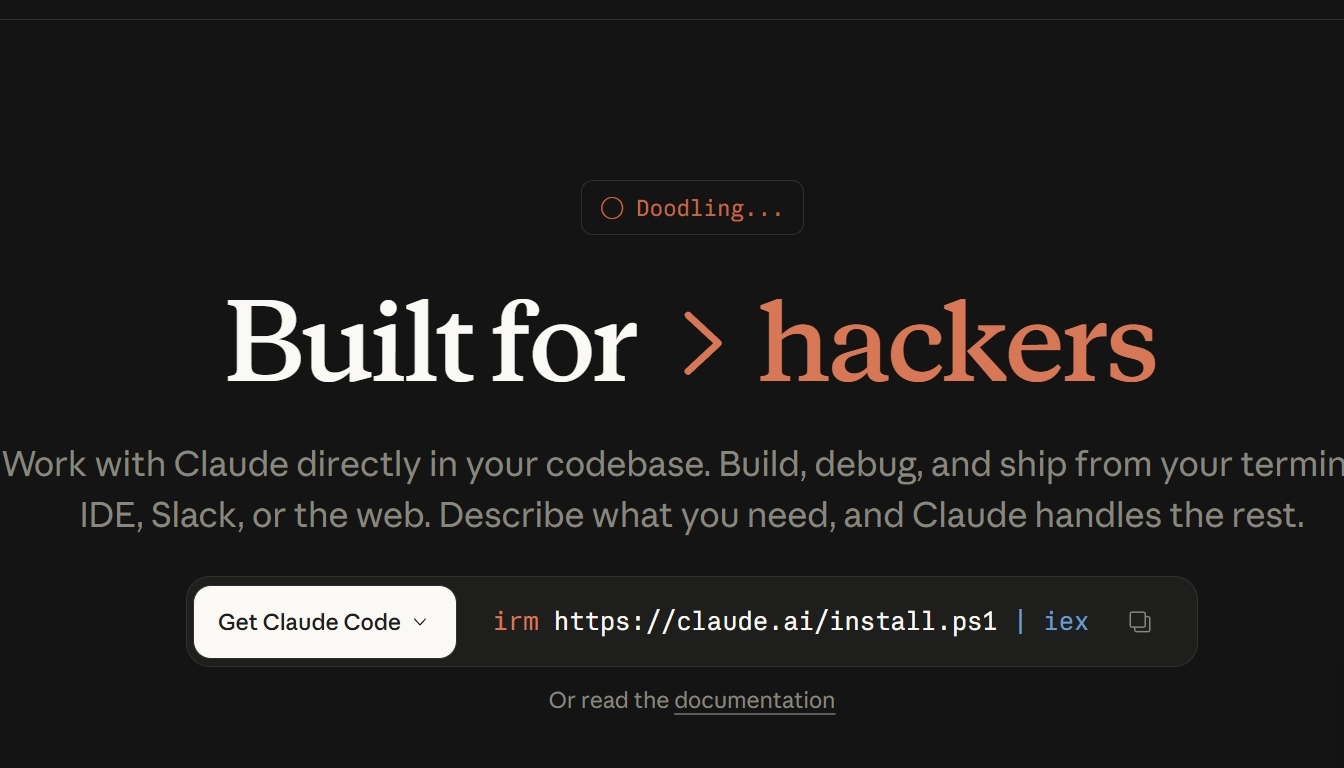

In 2026, AI generates 46% of all new code in commercial projects. 85% of developers already use AI tools for programming. And among them, one name is being heard more and more often — Claude Code.
If you have heard about it but do not understand what it is and how it differs from Cursor or GitHub Copilot — this guide is for you. No jargon or marketing here: what Claude Code is, who it is for, how to install it, and how much it costs.
What is Claude Code — explained in simple words

Claude Code is an AI coding agent from Anthropic, the same company that created Claude AI. But while Claude AI is a chatbot for conversation and analysis, Claude Code is a tool that writes, edits, tests, and fixes code in your project by itself.
The key difference from regular AI assistants: Claude Code does not just “suggest” lines of code — it acts like an autonomous agent. You give it a task, and it reads the project files itself, understands the structure, makes changes across several files at once, runs tests, and fixes errors — without requiring your involvement at every step.
Simple example: Instead of saying “write me a function for authentication,” you say: “Add a JWT-based authentication system to my Node.js project, including middleware, routes, and tests.” Claude Code will analyze your project and do all of that itself.
The three main traits of Claude Code:
- Terminal-native — it works in the command line, not only in a browser or IDE
- Agentic — it performs complex tasks autonomously instead of just answering questions
- 1 million token context — the largest in the industry; it can “read” an entire large codebase at once
Why Claude Code — and who uses it
Before diving into details, it is important to understand which tasks Claude Code is best suited for.
Complex refactoring of large codebases
When you need to rewrite or restructure dozens of files, Claude Code is one of the strongest tools on the market. Its 1 million token context window allows it to “read” an entire large repository at once. Cursor and Copilot are limited to 128–256K tokens.
Real-world case: a refactor that would take an experienced developer 4 hours, Claude Code completes in 30 minutes.
Architectural decisions and code review
Claude Code is one of the best tools in the field for high-level documentation and explanations of architectural decisions. It is ideal for situations like: “Explain why this system crashes under load” or “Find security vulnerabilities in this code.”
DevOps task automation
Claude Code has deep Git integration: it automatically creates commit messages, branches, pull requests, and runs tests. It can execute terminal commands — something Copilot and Cursor do much less naturally.
Developer teams and async workflows
Claude Code is the only one of the three leading tools that supports Slack workflows. You write a task in a Slack channel — the agent executes it in the background and reports back with the result.
Who Claude Code is for:
- Senior and Mid-level developers with large projects
- DevOps and backend engineers who actively work in the terminal
- Teams with complex codebases (legacy code, large monorepos)
- Technical founders and entrepreneur-builders without a large team
Who Claude Code is NOT the first choice for:
- Beginners without basic command-line knowledge (better to start with GitHub Copilot or Cursor)
- Frontend developers who want live autocomplete in VS Code (Cursor is better)
- People who need the cheapest option (GitHub Copilot at $10/month is better)
Claude Code vs Cursor vs GitHub Copilot — an honest comparison
The three main AI coding tools in 2026. Here is how they differ at a fundamental level:
| Parameter | Claude Code | Cursor | GitHub Copilot |
|---|---|---|---|
| Type | Terminal-native agent | AI IDE (VS Code fork) | IDE extension |
| Main strength | Autonomous execution of complex tasks | Daily development experience, visual diff | Accessibility, compatibility with any IDE |
| Context | 1 million tokens | 128–256K tokens | ~128K tokens |
| IDE support | VS Code, JetBrains, terminal, Slack | Only its own IDE | VS Code, JetBrains, Neovim, Xcode, etc. |
| Autocomplete (inline) | Limited | ⭐⭐⭐⭐⭐ | ⭐⭐⭐⭐⭐ |
| Complex refactoring | ⭐⭐⭐⭐⭐ | ⭐⭐⭐⭐ | ⭐⭐⭐ |
| Benchmark (SWE-bench) | 80.8% | Lower | Lower |
| Git integration | ✅ Deep (commits, PRs, branches) | ✅ | ⚠️ Through GitHub Workspace |
| Slack integration | ✅ | ❌ | ❌ |
| Starting price | $20/month (Claude Pro) | $20/month (Pro) | $10/month |
| Free plan | ⚠️ Limited | ⚠️ Limited | ✅ Basic |
Conclusion about the philosophy of each tool:
- GitHub Copilot = “turn it on and work” — it does not change your workflow, it just helps
- Cursor = “AI IDE” — rethinks the editor around AI, best for daily coding
- Claude Code = “autonomous agent” — full automation of complex tasks, best for deep codebase understanding
Claude Code pricing in 2026 — how much it costs
Claude Code is available through several Anthropic subscription plans. As of April 2026:
| Plan | Price/month | Claude Code included | Limits |
|---|---|---|---|
| Claude Free | Free | ⚠️ Very limited | Runs out quickly on real tasks |
| Claude Pro | $20/month | ✅ Basic access | Suitable for light and medium usage |
| Claude Max 5x | $100/month | ✅ 5× more limits than Pro | For active daily use |
| Claude Max 20x | $200/month | ✅ 20× more limits | For heavy daily usage |
| Team Standard | $25/seat/month (or $20/month annually, min. 5 seats) | ✅ | Team plan with management controls |
Important to understand: Claude Code is not a separate product with a fixed price. You pay for a Claude subscription and spend tokens on every agent action. The more complex the task and the larger the codebase, the more tokens are used.
Which version to choose
Claude Pro ($20/month) — start with this one. For most developers who use Claude Code a few times a week, Pro is enough. If you regularly hit the “rate limit,” move up to Max 5x.
Claude Max 5x ($100/month) — for active daily use. If Claude Code is your main tool and you use it 4–8 hours a day.
Max 20x ($200/month) — for the heaviest usage: large teams, major refactors, and agent sessions that run for hours.
Comparison with alternatives: Cursor Pro is $20/month, GitHub Copilot is $10/month. So the base level of Claude Code costs the same as Cursor and twice as much as Copilot. But for complex tasks, the ROI is higher — a 4-hour refactor done in 30 minutes pays off at almost any hourly rate.
How to install Claude Code — step-by-step guide
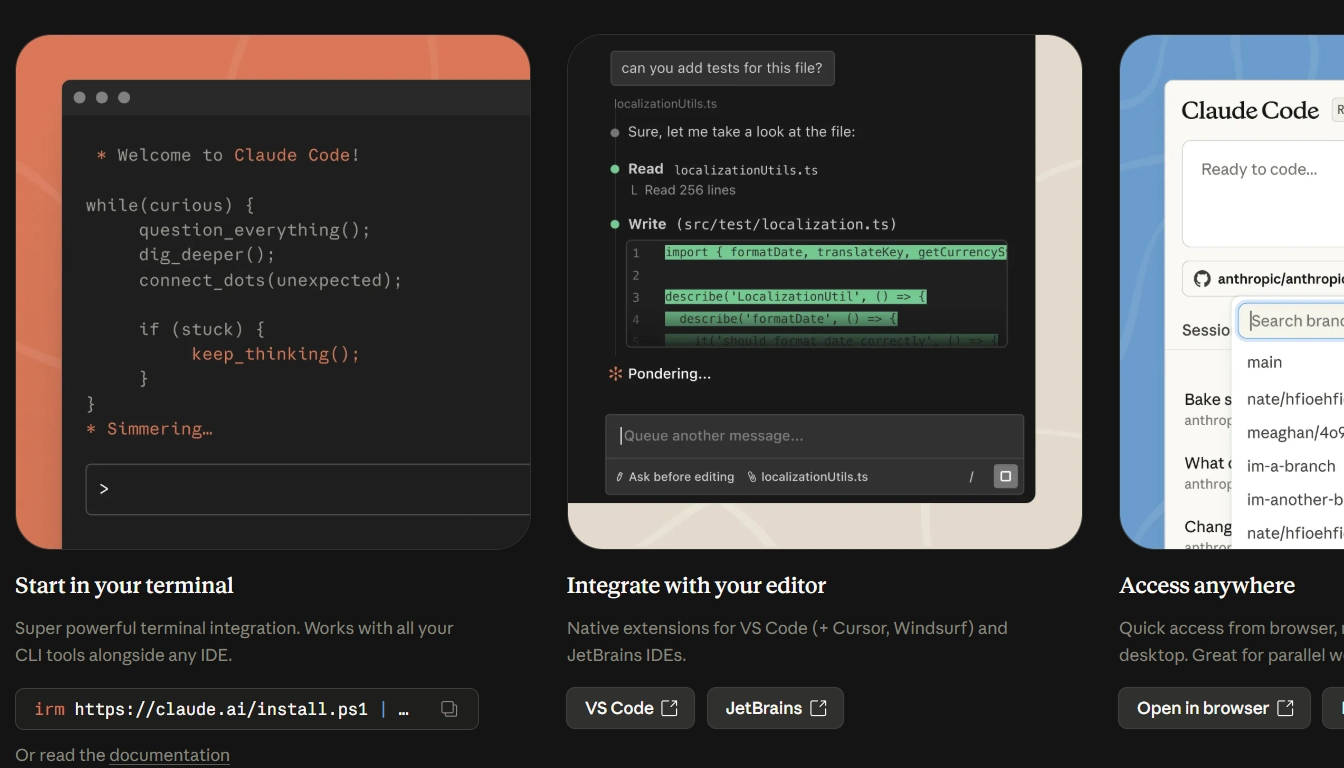
What you need before starting
- Node.js version 18 or newer (check with:
node --version) - npm (included with Node.js)
- An Anthropic account — on claude.ai (a Claude Pro subscription or higher is needed for full use)
- Basic command-line knowledge — Claude Code is a terminal-native tool
Step 1: Installation
Open your terminal (Terminal on macOS/Linux, PowerShell or Command Prompt on Windows) and run:
npm install -g @anthropic-ai/claude-codeThis command installs Claude Code globally — it will be available from any directory.
Step 2: Authentication
After installation, run:
claudeClaude Code will open a browser for authentication via your Anthropic account. Sign in — the token will be saved automatically.
Step 3: First launch in your project
Go to your project directory:
cd /path/to/your/project
claude
Now you are in an interactive Claude Code session. It automatically “reads” the structure of the current directory and is ready to perform tasks.
Step 4: First task
Enter a task in natural language — English or Ukrainian:
> Explain the structure of this project and identify potential issuesor
> Add input validation to all API endpoints in the routes folderClaude Code will read the files, analyze them, and begin making changes — reporting each step as it goes.
Integration with VS Code and JetBrains
If you want to use Claude Code inside your IDE instead of only in the terminal:
VS Code: install the “Claude Code” extension from the VS Code Marketplace. After installation, Claude Code will be available in the sidebar and through the command palette.
JetBrains (IntelliJ, WebStorm, PyCharm, etc.): install the “Claude Code” plugin from JetBrains Marketplace. It works similarly.
Tip: for most tasks, terminal + Claude Code is more convenient than IDE integration. IDE plugins are useful for quick access, but the full power of the agent shows up in the terminal.
Main Claude Code commands and modes
Interactive mode (main)
Run claude in the project directory — and you are in an interactive chat. Commands:
/help— list of available commands/clear— clear the session context/exit— exit/model— switch model (Sonnet, Opus)/cost— view current session cost
One-shot command mode
If you do not need an interactive session — execute a task in one line:
claude -p "Write unit tests for all functions in utils.js"The -p (prompt) flag lets you pass a task directly and get a result without entering interactive mode. Convenient for scripts and automation.
Pipe mode (from other commands)
Claude Code accepts stdin — which means you can pass it the output of other commands:
cat error.log | claude -p "Explain this error and suggest a fix"or
git diff | claude -p "Write a clear commit message for these changes"Headless mode (no interaction)
For full automation without any questions or confirmations:
claude --headless -p "Refactor all deprecated API calls in the src folder"Used in CI/CD pipelines and Slack automations.
MCP — Model Context Protocol and integration capabilities
One of Claude Code’s unique features is support for MCP (Model Context Protocol). This is an open standard from Anthropic for connecting external tools to AI agents.
Thanks to MCP, Claude Code can:
- Connect to databases and execute SQL queries
- Integrate with Jira, GitHub Issues, and Linear for ticket workflows
- Read documentation from Confluence or Notion
- Interact with AWS, GCP, and Azure for DevOps tasks
- Use any custom corporate tools
MCP servers are configured through the ~/.claude/config.json configuration file. The library of ready-made MCP servers grows every week — most are open and free.
Practical examples — what Claude Code can actually do

Debugging complex bugs
> I'm getting a race condition in the payment processing service.
  Here's the error: [paste error]. Find the root cause and fix it.
Claude Code will read the entire payment service, find where the race condition occurs, propose and apply a fix, run tests — and explain what was happening.
Adding new functionality
> Add email notifications when a new order is created.
  Use our existing EmailService class and follow the patterns in UserNotificationService.
The agent will find EmailService, study the existing patterns, create the required code, and wire it up in the right places — without asking every time where everything is located.
Code review and security audit
> Review this pull request for security vulnerabilities,
  performance issues, and style inconsistencies with our codebase
Claude Code will read the diff and all relevant context. It will provide a structured report — not generic advice, but specific issues with references to code lines.
Documentation
> Generate comprehensive JSDoc documentation for all public functions
  in the src/api folder, following the patterns in existing documented files
Automatic commit messages
git add .

git diff --cached | claude -p "Write a conventional commit message for these changes"
Claude Code and Cursor — how to use both together

Experienced developers in 2026 do not choose between tools — they combine them. The most popular hybrid workflow:
Cursor — for daily work: autocomplete, small changes, live editing, viewing diffs in visual mode. 80% of development time.
Claude Code — for complex tasks: major refactoring, architectural analysis, debugging cross-file issues, generating tests for large modules. 20% of the time, but the most valuable part.
This hybrid approach costs $20 (Cursor) + $20 (Claude Pro) = $40/month and gives the best result among all options.
For a detailed review of Cursor AI, read our article Cursor AI — an AI editor for programmers →
Pros
The largest context in the industry — 1 million tokens. It can “read” an entire large repository at once. Cursor and Copilot are limited to 128–256K.
The highest SWE-bench score — 80.8%. It performs real-world tasks from open repositories more accurately than all competitors.
True agentic behavior. Not just “write code” — but complete the task end to end: read files, make changes, run tests, and fix errors in a loop.
MCP integrations. An open protocol for connecting any external tools.
Slack integration. A unique feature for async teams.
Deep Git integration. Automatic commits, branches, PRs — without manual input.
Cons
The terminal is a barrier for beginners. Claude Code is terminal-native. If you are not used to the command line, getting started will be difficult. Cursor is much easier in this respect.
No inline autocomplete. Claude Code does not suggest code in real time while you type — unlike Cursor and Copilot. For day-to-day editing, this is a noticeable drawback.
The price rises with task complexity. Tokens are spent on context analysis — a major refactor can quickly exhaust Pro plan limits.
Unstable in some countries with heavy censorship. Like most Anthropic services.
A younger tool. Claude Code appeared in 2025. Cursor and Copilot have a more mature ecosystem of extensions and plugins.
Frequently asked questions about Claude Code (FAQ)
What is Claude Code in simple terms?
Claude Code is an AI programmer that works in your terminal. You give it a task — it reads your project itself, writes or fixes code, runs tests, and fixes errors. Unlike regular AI assistants, it acts autonomously instead of just “suggesting.”
How is Claude Code different from Claude AI?
Claude AI (on claude.ai) is a chatbot for conversations, analysis, and writing text. Claude Code is a specialized coding agent with access to the file system and the ability to run terminal commands. Different products for different tasks.
Do I need to know programming to use Claude Code?
Yes, basic knowledge is necessary. Claude Code is a tool for developers, not for complete beginners. If you do not know what the terminal, file system, and version control are, start by learning the basics of programming and then come back to Claude Code.
Is Claude Code free?
There is limited free access, but for real work you need a subscription starting from $20/month (Claude Pro). For active daily use — from $100/month (Max 5x).
What programming languages does Claude Code support?
Claude Code supports all major languages: Python, JavaScript/TypeScript, Java, Go, Rust, C/C++, Ruby, PHP, Swift, Kotlin, and others. It works especially well with Python and JavaScript/TypeScript.
Is it safe to give Claude Code access to my code?
Claude Code runs locally on your machine — your code is not “sent” to the cloud in unencrypted form. However, like any AI tool, it sends code fragments to the Anthropic API for processing. For enterprise projects with sensitive code, review Anthropic’s Enterprise terms on privacy and data retention.
Can I use Claude Code without the terminal?
Partly — through plugins for VS Code and JetBrains. But the full power of the agent (command execution, deep analysis, Git operations) is available only in the terminal. IDE plugins are a useful addition, not a replacement.
Conclusion
Claude Code in 2026 is not “just another AI autocomplete.” It is a fundamentally new type of tool: an autonomous agent that thinks and acts, rather than just suggesting.
It will not replace Cursor or Copilot for daily coding — but for complex tasks, large codebases, and serious refactors, there is no better tool on the market.
Short summary:
- You are new to programming → Claude Code is too early for now. Start with GitHub Copilot and basic coding fundamentals.
- You code daily and want better autocomplete → Cursor is the optimal choice
- You need to “figure out” a large чужий project → Claude Code
- You have a complex refactor or cross-file bug to debug → Claude Code
- You want maximum productivity → Cursor (daily) + Claude Code (for heavy tasks)
→ Try it: npm install -g @anthropic-ai/claude-code and launch it in your project.
Also read: Claude AI — review and capabilities → and Cursor AI — an AI editor for programmers →
Article prepared by the TechVisor team — practical IT media for developers and anyone who wants to understand technology.